No products in the cart.
Power interruptions can affect business operations, damage unsaved work and disrupt critical IT infrastructure. For organisations that depend on computers, servers, networking equipment and other electrical systems, a reliable Uninterruptible Power Supply (UPS) is an important part of business continuity planning.
However, choosing the right UPS involves more than selecting a model with a suitable capacity. Businesses must consider their connected load, required backup time, power quality, battery configuration and future expansion needs.
In this guide, we explain the different types of UPS systems, their applications and the key factors to consider before purchasing one.
A UPS is a power protection device that supplies temporary battery power when the main electricity supply fails. Depending on its design, it can also help protect connected equipment against certain power disturbances, such as voltage fluctuations and electrical surges.
A UPS can be useful for:
The primary purpose of a UPS is to provide backup power for a limited period, allowing equipment to continue operating or shut down safely. It is not necessarily designed to run every connected device indefinitely.
Understanding UPS technology helps you select a system that matches your operational requirements.
A line-interactive UPS is commonly used for office computers, workstations and compatible networking equipment.
Many models include Automatic Voltage Regulation (AVR), which helps correct certain voltage fluctuations without relying on battery power for every adjustment.
This type of UPS may be suitable for businesses that need practical backup power for less demanding applications.
An online UPS uses double-conversion technology to provide a continuously conditioned output supply. It is commonly selected for servers, critical IT systems and applications that require a high level of power protection.
Online UPS systems are available in different capacities and configurations. Depending on the model, they may support external batteries, monitoring options and other features required for business applications.
Single-phase UPS systems are often used in offices, IT rooms, retail environments and smaller business installations.
They can support compatible equipment such as computers, network devices and selected server configurations. The required capacity depends on the total connected load and backup requirements.
Three-phase UPS systems are generally used for larger electrical loads and critical infrastructure, including data centres, enterprise IT environments and industrial facilities.
These installations require careful capacity planning, electrical assessment and appropriate distribution design.
For larger systems, businesses should evaluate redundancy, battery configuration, installation conditions and future expansion before selecting a model.
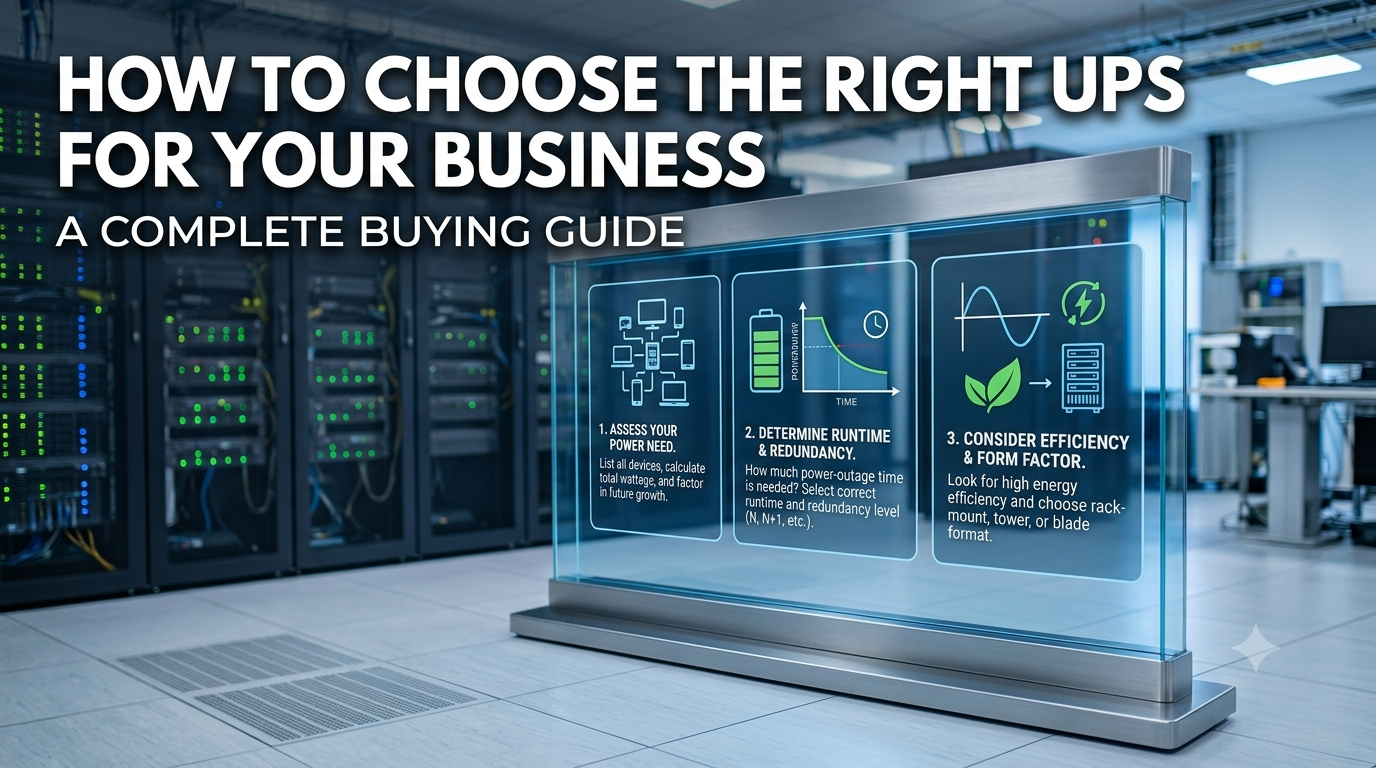
Selecting the correct UPS capacity is essential for reliable operation.
UPS capacity is commonly expressed in volt-amperes (VA) or kilovolt-amperes (kVA), while the actual power consumed by equipment is measured in watts (W) or kilowatts (kW).
To estimate the required capacity:
For example, if the total connected equipment consumes 1,200 watts, you should select a UPS that can support at least that wattage while also meeting the VA requirement. The final capacity should account for the manufacturer’s specifications, load characteristics and operational requirements.
For larger installations, professional load assessment is recommended rather than relying on a simple estimate.
Backup time refers to how long a UPS can power connected equipment during a mains failure.
The required runtime varies by application.
Office computers: Enough time to save files and shut down safely.
Networking equipment: Enough time to maintain essential connectivity or support a planned shutdown.
Servers: Runtime based on the organisation’s continuity plan, workload requirements and availability of alternative power.
Data centres: A coordinated backup strategy that considers battery autonomy, redundancy and generator availability.
Actual runtime depends on the connected load, battery capacity, battery condition and UPS efficiency. A higher-capacity battery does not automatically guarantee a specific runtime, so refer to the manufacturer’s runtime information for the intended configuration.
Before purchasing a UPS, review the features that matter most for your application.
Battery Configuration
Some UPS systems include built-in batteries, while others require external battery packs. Check the supported battery voltage, configuration and compatibility before making a purchase.
Power Protection Technology
Consider whether your application requires line-interactive operation or online double-conversion technology. The right choice depends on equipment sensitivity, electrical conditions and operational risk.
Monitoring and Alerts
For business-critical systems, monitoring features can help administrators review operating conditions, receive alerts and plan maintenance.
Depending on the model, monitoring may be available through communication ports, compatible software or network management accessories.
Installation Requirements
Check the UPS dimensions, mounting arrangement, ventilation, electrical connections and installation environment. Higher-capacity systems may require dedicated electrical infrastructure and professional commissioning.
Warranty and Service Support
Review the manufacturer’s warranty, battery warranty, service availability and replacement-part requirements. For critical applications, also consider preventive maintenance and UPS Annual Maintenance Contract (AMC) options.
Businesses can avoid unnecessary expenses and operational problems by considering these common mistakes.
A carefully selected UPS can help protect equipment and support business continuity more effectively than choosing a model based on price alone.
CDS DigiMart offers power backup products for different applications, including APC UPS systems across multiple categories. The available range includes online UPS models, line-interactive systems and higher-capacity solutions for business and IT requirements.
When comparing products, review the capacity, topology, battery configuration, supported load and warranty information to identify a suitable option.
Explore the UPS and power backup range at CDS DigiMart to compare available products and their specifications.
For larger installations, consider a technical assessment to confirm the appropriate capacity, runtime, electrical requirements and installation arrangements.
Which UPS is best for an office?
A line-interactive UPS may suit many office computers and networking devices. Businesses with more demanding IT requirements may need an online UPS. The best option depends on the connected load and required protection.
What is the difference between a line-interactive UPS and an online UPS?
A line-interactive UPS regulates certain voltage fluctuations and switches to battery operation when required. An online double-conversion UPS continuously processes power through its conversion stages, making it suitable for many critical applications.
How do I choose the correct UPS capacity?
Calculate the total load, check the required wattage and VA rating, and account for operating headroom and future expansion. For larger systems, seek professional sizing advice.
Can a UPS run servers during a power cut?
Yes, if the UPS has sufficient capacity, a compatible battery configuration and enough available runtime. The actual backup duration depends on the server load and battery condition.
Does a UPS require regular maintenance?
Yes. Periodic inspection, battery condition checks and manufacturer-recommended servicing help maintain reliability. Critical installations may benefit from a suitable UPS AMC.
Conclusion
Choosing the right UPS is an important step towards protecting business equipment and reducing the impact of unexpected power interruptions.
By understanding UPS technologies, calculating the required capacity, assessing backup time and checking battery compatibility, businesses can make informed purchasing decisions.
Explore the available UPS systems at CDS DigiMart and select a solution that matches your power requirements, operational needs and long-term business plans.


Leave a comment